
Website Not Showing on Google?
Find Out Why
If customers search your business or services and your website does not appear, you are losing enquiries every day. I check why your site is missing from Google, fix the problems, and help it show up where your customers are searching.
First, check if your site is really missing
Google suggests searching with the site: operator, for example site:yourbusiness.ae, with SafeSearch turned off (Google Search Console Help). If pages appear, your site is in Google but ranking low. If nothing appears, Google has not indexed it.
These are two different problems with different fixes. Not indexed means Google cannot or will not add your pages. Ranking low means Google knows your pages but prefers other results.
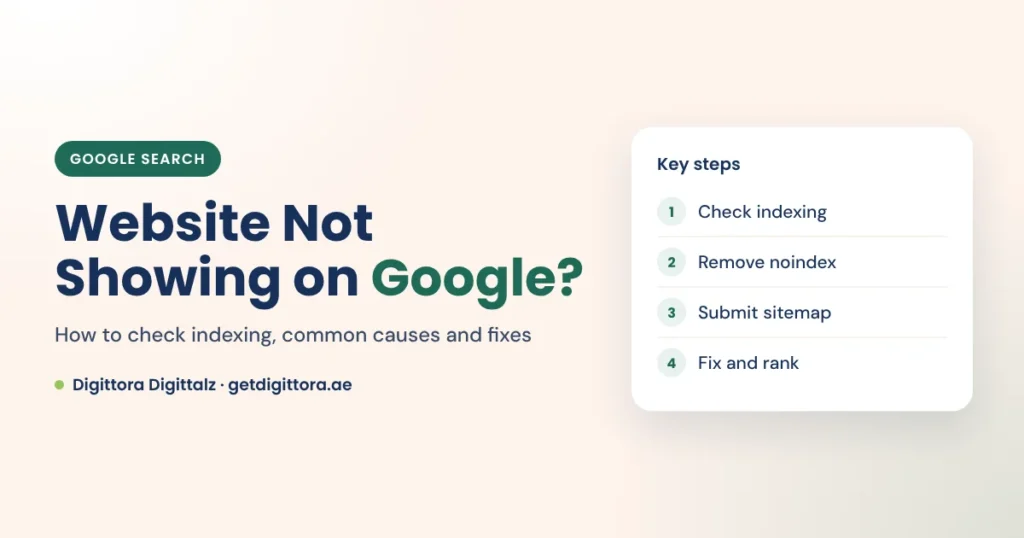
Common reasons a website does not show on Google
- The site is new: Google can take from a few days to several weeks to find and index new pages.
- A “noindex” setting: often left on by mistake after a website is built.
- Blocked in robots.txt: a file that tells Google not to crawl parts of your site.
- No sitemap or Search Console: Google has no easy way to discover your pages.
- Duplicate pages: Google picks a different version of the page to show.
- A domain or HTTPS move done badly: old pages lost without redirects.
- Manual actions or security issues: penalties or hacked content.
- Thin content or strong competition: the page is indexed but not good enough to rank.
What Google recommends checking
Google’s own help page recommends using the URL Inspection tool in Search Console, checking for noindex tags and robots.txt blocks, reviewing the Manual Actions and Security Issues reports, and submitting a sitemap (Google). It also suggests allowing at least a week after submitting before assuming there is a problem.
Most business owners have never opened Search Console, which is why simple issues can stay hidden for months.
Website missing from Google? Send me the link for a free quick check.
How I fix it
- Index check: which pages Google has, and which it does not.
- Technical review: noindex, robots.txt, redirects, speed, mobile and duplicates.
- Search Console setup: verification, sitemap and indexing requests.
- Penalty and security check: manual actions, hacked pages and spam.
- Ranking plan: if the site is indexed but buried, what content and links it needs.
Many fixes are quick once found. If the deeper problem is competition, my SEO services cover the longer work.
Showing on Google Maps is a separate step
Even if your website is indexed, you will not appear on Google Maps without a verified Google Business Profile. For service businesses in the UAE, Maps often brings more calls than the website itself. See my local SEO packages for help with this.
Signs it is a ranking problem, not an indexing problem
- Your site shows up when you search your exact business name, but not your services.
- Search Console shows impressions but very few clicks.
- Competitors have more detailed service pages and more reviews.
- Your pages were published recently and have no links from other sites.
In that case the site is visible to Google; it simply needs better pages, clearer targeting and some trust signals to compete.
Website not showing on Google after a redesign?
One of the most common times a website disappears from Google is right after a redesign or a move to a new domain. Old pages are removed without redirects, the new site launches with “noindex” still switched on, or the developer blocks Google while building and forgets to unblock it.
If your traffic dropped after a new website went live, check these first. They are usually quick to fix, and rankings often recover once Google can crawl the site properly again.
Why your business name search might not show your website
If someone searches your exact business name and your website does not appear, there may be a bigger issue: the site is not indexed, another business has a similar name, or your website does not clearly state your business name in titles and content.
Your business name should appear in your homepage title, your logo text, your About section and your Google Business Profile, exactly the same way each time.
How long should you wait?
For a brand-new website, give Google a week or two after submitting your sitemap before worrying. For an established website that suddenly vanished, do not wait: a sudden drop usually means a technical change or a penalty, and the sooner it is fixed, the faster it recovers.
Simple checks you can do today
- Search site:yourdomain.ae on Google and count the results.
- Search your exact business name and see what shows.
- Open your website on your phone and check it loads quickly.
- Ask your web developer if the site is set to discourage search engines.
- Check whether you have access to Google Search Console.
If any of these raise questions, a proper check will find the cause quickly.
Website not showing on Google Maps?
If your website appears in normal search but your business does not show on Google Maps, the issue is your Google Business Profile, not your website. You need a verified profile with the right category, your real business name and a service area or address. New profiles can take time to show for broader searches, and they rank based on relevance, distance and how well known the business is.
If your profile was working and then disappeared, check whether it has been suspended. That needs a different fix, which I cover on my page about suspended Google Business Profiles.
When to get help
If your website is not showing on Google after a few weeks, if traffic dropped suddenly, or if Search Console shows errors you do not understand, a proper check usually finds the cause quickly. The longer a technical problem stays in place, the more traffic and enquiries it costs.
Website visibility check
Start with a check, then decide on fixes with a clear price.
Most popular
Google Visibility Fix
From AED 499
one-time SEO audit
- Index and technical check
- Search Console and sitemap setup
- Penalty and security review
- Clear list of fixes in priority order
Prices in AED, excluding VAT. See all prices.
Frequently asked questions
Why is my website not showing on Google?
The most common reasons are that the site is new, a noindex setting was left on, pages are blocked in robots.txt, there is no sitemap, or the site is indexed but not ranking well enough yet.
How long does it take for a new website to appear on Google?
Usually anywhere from a few days to several weeks. Submitting a sitemap and requesting indexing in Search Console helps Google find it sooner.
How do I check if Google has indexed my website?
Search site:yourdomain.ae on Google, or use the URL Inspection tool in Google Search Console for the exact status of each page.
Does paying for Google Ads help my website show in normal results?
No. Ads and normal search results are separate. Ads can bring visitors while you fix SEO, but they do not improve organic rankings.
Why does my business show on Maps but not my website?
Maps comes from your Google Business Profile, while web results come from your website. Each needs its own setup and optimisation.
Get your website found on Google
Send me your website link. I will check if Google can see it and tell you what is holding it back.
Related services
Sources
- Google Search Console Help, Why is my page missing from Google Search?
- Google Search Central, Google Search Essentials
Last updated: November 2026