
Google Business Profile Suspended?
Get Back on Google Maps
A suspended Google Business Profile can remove your business from Google Maps and local search overnight, along with your reviews and calls. I help UAE businesses understand what went wrong and prepare a clear, honest appeal.
What a suspended Google Business Profile means
Google says it may suspend or disable profiles that do not follow its guidelines (Google Business Profile Help). Depending on the case, your profile may disappear from Maps and Search, or stay visible but locked so you cannot manage it.
For a local business, that can mean an instant drop in calls, direction requests and WhatsApp messages. It is worth acting quickly, but carefully.
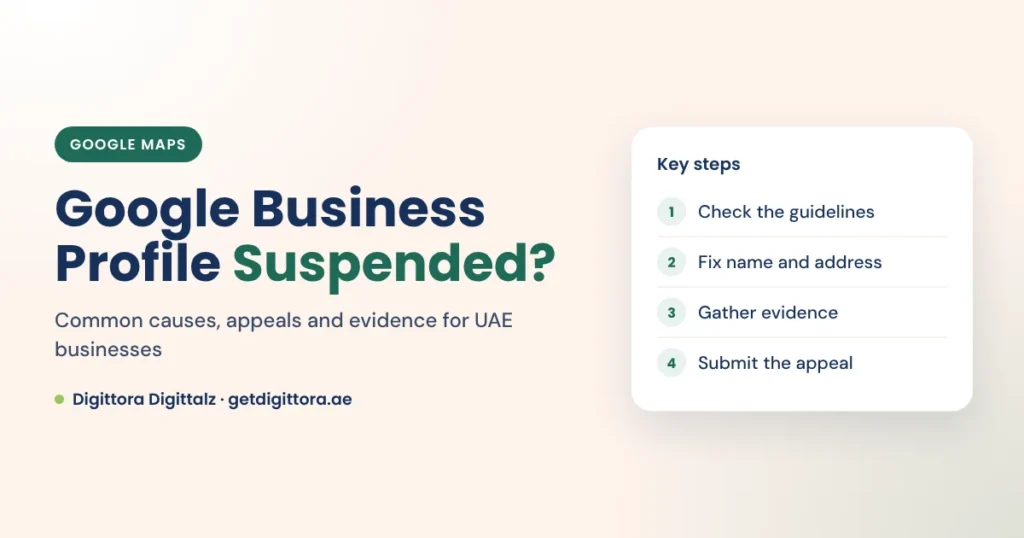
Common reasons profiles get suspended in the UAE
- Address problems: using a virtual office, flexi-desk or home address in a way the guidelines do not allow.
- Keyword stuffing in the business name: adding services or areas to the name, such as “Best AC Repair Dubai”.
- Service-area mistakes: showing an address customers cannot visit instead of hiding it.
- Duplicate profiles: more than one profile for the same business.
- Category or website mismatches: details that do not match your trade licence or website.
- Suspicious edits: many changes at once, or edits from several accounts.
- Restricted industries: some business types face extra checks.
How the appeal works
Appeals are made through Google’s Business Profile appeals tool. You choose the profile and the decision, review the reason, and can upload evidence before submitting (Google Business Profile Help).
Google lists the kind of evidence that can help, such as business registration, a business licence, tax certificates and utility bills. The name and address on these documents should match your profile exactly. In the UAE, your trade licence is usually the key document.
Google also warns against creating a new profile for the same business while an appeal is open, and appeals can usually only be submitted once, so preparing properly matters.
Profile just got suspended? Message me before you submit anything to Google.
How I help with suspended profiles
- Review the profile: name, address, categories, website and recent edits.
- Find the likely cause: by checking your profile against Google’s guidelines.
- Fix what is wrong: before the appeal, not after.
- Prepare evidence: trade licence, utility bills and photos that match the profile.
- Submit a clear appeal: and follow up if Google asks for more.
I cannot guarantee Google will reinstate a profile, because the decision is Google’s. I can make sure your appeal is complete and your profile follows the guidelines.
How to keep your profile safe
Use your real business name exactly as on your trade licence, set the right categories, and hide your address if customers do not visit you. Avoid big changes all at once, and keep one profile per business location. Google’s full rules are in its Business Profile guidelines.
Once your profile is back, my local SEO packages help you rebuild rankings, reviews and calls safely.
Suspended or disabled: what is the difference?
Google uses both words. In practice, some suspended profiles disappear from Maps and Search entirely, while others stay visible but you lose the ability to manage them. A disabled profile usually means Google has found a more serious problem with the profile or the account managing it.
If your whole Google account is restricted, Google asks you to appeal the account first, and then the profile.
Business names: the most common UAE mistake
Many profiles in Dubai and Sharjah add services or areas to the business name to rank higher, such as “Car Repair Garage Al Quoz Best Prices”. This breaks Google’s guidelines and is one of the most common reasons a Google Business Profile is suspended.
Your business name on Google should match your trade licence, shop sign and website. Services and areas belong in the categories, description and services sections instead.
Home-based and service-area businesses
If you work from home or visit customers, you can still have a profile. Set it up as a service-area business, hide your address and add the areas you serve. Showing a home address as a shop customers can visit is a common reason for suspension.
Freelancers and mobile services across the UAE use this setup every day without problems when it is done properly.
Evidence that matches
When you appeal, every document should show the same business name and address as the profile. Common problems are an old trade licence, a licence under a different trade name, or a utility bill in another person’s name. Fixing these before you submit is often the difference between approval and rejection.
Photos of your shop sign, office entrance or branded vehicle can also help show the business is real.
After reinstatement
Once a profile is back, avoid making many changes at once. Update one thing at a time, keep posting real photos, and reply to every review. A steady, normal-looking profile is less likely to be flagged again.
Common myths about suspensions
- “A competitor reported me, so I can do nothing.” Reports only matter if something on the profile breaks the guidelines. Fix that, and the appeal has a real chance.
- “I will just make a new profile.” Google warns against this, and duplicates often lead to more suspensions.
- “Buying reviews will help me recover faster.” Fake reviews break Google’s policies and can lead to more restrictions.
- “Suspensions are random.” There is almost always a reason linked to the guidelines, even if it is not obvious at first.
Understanding the real reason your Google Business Profile was suspended is what makes a strong appeal possible.
What to do while you wait
While the appeal is under review, keep your website and other listings up to date, and make sure customers can still reach you on WhatsApp and phone. Share your website link on social media and in messages so people can still find you. Avoid editing the suspended profile again unless Google asks you to.
Help with a suspended profile
A fixed price after a quick review of your profile and the suspension notice.
Urgent cases
Profile Reinstatement Help
Fixed quote
after a free review
- Profile and guideline check
- Fixes before the appeal
- Evidence checklist for UAE businesses
- Appeal preparation and follow-up
Prices in AED, excluding VAT. Paid in advance. See all prices.
Frequently asked questions
Why was my Google Business Profile suspended?
Usually because something on the profile does not follow Google’s guidelines, such as the address, the business name, duplicate profiles or details that do not match your business documents.
How long does a Google Business Profile appeal take?
Google does not give a fixed time. You get an email with the decision, and the appeals tool shows the status while it is under review.
Should I create a new profile instead?
No. Google advises against creating a new profile for the same business, as it can make things worse.
What documents help an appeal in the UAE?
Your trade licence is usually the most important, plus utility bills or other documents showing the same business name and address as the profile.
Can I use a virtual office address for my profile?
Google’s guidelines generally do not allow virtual offices unless they are staffed during business hours. Service-area businesses can hide their address instead.
Will I lose my reviews?
Reviews are usually restored if the profile is reinstated, but this depends on Google’s decision.
Get back on Google Maps
Send me your profile link and the suspension message. I will tell you what I think caused it and what to fix first.
Related services
Sources
- Google Business Profile Help, Fix suspended or disabled profiles
- Google Business Profile Help, Guidelines for representing your business on Google
Last updated: November 2026