
Amazon Listing Suppressed?
How to Get It Back
A suppressed listing disappears from Amazon search, so shoppers cannot find or buy it, even if you have stock. I help Amazon.ae sellers find out why a listing was suppressed, fix it quickly, and stop it happening again.
What a suppressed listing means
When Amazon suppresses a listing, the product page is hidden from search and browse. It usually shows as “Search Suppressed” or “Inactive” in your inventory. The product still exists in your account, but it is not selling.
Suppression is different from a full account suspension. It affects one product or a group of products, and in most cases it can be fixed by updating the listing rather than writing an appeal.
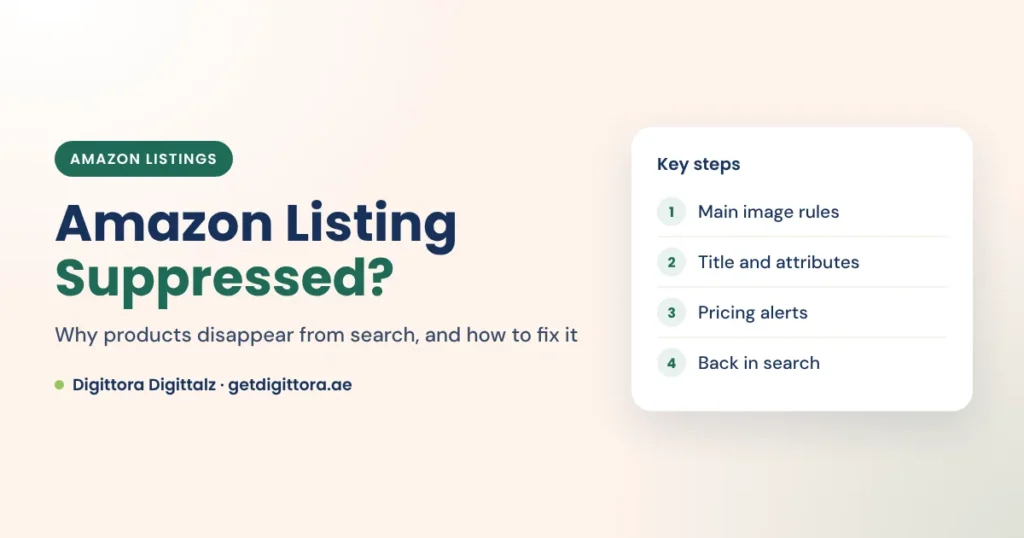
Common reasons listings get suppressed
- Main image problems: a non-white background, text, logos, badges or a product that is too small in the frame.
- Title problems: titles that are too long, repeat words too often or use banned special characters.
- Missing required information: such as brand, product type, size or other fields Amazon now requires for your category.
- Pricing errors: a price Amazon sees as far above or below the usual market price.
- Restricted or approval-needed products: items that need documents or category approval.
- Safety or compliance flags: missing certificates or safety information.
- Customer complaints: repeated complaints about condition, accuracy or safety.
Where to find the reason
In Seller Central, the Manage All Inventory page and the listing quality tools show suppressed products and, usually, the reason. The message is sometimes vague, such as “missing information”, and the field it refers to is not always obvious.
That is often where sellers get stuck: they change the wrong field, the listing stays suppressed, and sales are lost day after day.
Not sure why your listing is hidden? Send me the ASIN and the message you see.
How I fix suppressed listings
- Check the exact cause: the suppression message, listing history and category rules.
- Fix the listing: image, title, attributes, price or documents, whichever applies.
- Use the right method: some fixes work through the listing editor, others need a flat file or a case with Seller Support.
- Confirm it is live: check the product shows in search again.
- Prevent repeats: review similar listings so the same issue does not hit other products.
How to avoid suppression in the future
- Use a pure white background for every main image.
- Keep titles clear and within Amazon’s style rules for your category.
- Fill in all required fields, not just the basics.
- Watch pricing changes, especially during sales and coupons.
- Check Account Health and listing quality alerts every week.
My Amazon listing optimization service builds listings that follow these rules from the start.
Suppression or suspension?
| Listing suppressed | Account suspended | |
|---|---|---|
| What is affected | One or a few products | The whole seller account |
| Usual fix | Update the listing | Appeal with a plan of action |
| Urgency | High, sales are lost | Very high, funds may be held |
If your whole account has been deactivated, see my page on Amazon account suspension help.
Listing suppressed after an edit?
Many sellers find a listing suppressed right after they change something: a new title, new images or a different category. Amazon re-checks the listing against its current rules each time you edit it, so an old listing that was fine for years can suddenly fail a newer requirement.
If your Amazon listing was suppressed just after an edit, compare the change with the category style guide first. Undoing one small change often brings it back.
Main image rules sellers often miss
- The background must be pure white, not off-white or light grey.
- No text, logos, borders, badges or watermarks on the main image.
- The product should fill most of the frame.
- Show the product only, without props that are not included.
- Use a clear, high-resolution photo, not a drawing or mock-up.
Images two to seven can show lifestyle scenes, size charts and text. The main image is the one with strict rules.
Suppression from missing attributes
Amazon keeps adding required fields for different categories, such as material, item weight, safety warnings or model numbers. When a new field becomes required, older listings without it can be suppressed overnight, even if you changed nothing.
These cases are usually fixed by filling in the missing attributes, sometimes through a flat file upload when the listing editor does not show the field. Checking your inventory weekly helps you catch them early.
How much a suppressed listing can cost you
A suppressed best-seller stops earning straight away, but the damage can last longer. Sales rank drops, ads stop serving, and competitors take the sales you were getting. The longer a listing stays hidden, the longer it can take to recover its position after it comes back.
That is why it is worth fixing suppression the same day if you can, rather than waiting for a quiet moment.
Keep stock moving while you fix it
If a listing will take a few days to fix, look at related products in your catalogue. Adjusting ads and coupons on similar items can help keep some sales coming in while the suppressed listing is repaired.
Fixing several suppressed listings at once
Sometimes dozens of listings are suppressed together, usually after Amazon adds a new required field to a category or changes its image rules. Fixing them one by one in the listing editor can take days.
In these cases, a flat file upload is often faster. You download a template for the category, fill in the missing information for all affected products, and upload it in one go. It needs care, because a mistake in a flat file can change the wrong fields on many listings at once.
If you have more than a handful of suppressed products, it is worth fixing the cause across the whole catalogue rather than chasing each listing separately.
When to contact Seller Support
If you have fixed everything the message asks for and the listing is still suppressed after a day, open a case with Seller Support. Give the ASIN, the exact message you see, what you changed and when. Short, specific cases usually get faster and clearer answers than long ones.
Fix suppressed listings
Simple fixes are quick. Complex cases with documents or approvals are quoted after review.
Most popular
Suppressed Listing Fix
From AED 150
per listing
- Find the exact cause
- Fix image, title, attributes or price
- Confirm the listing is live again
- Advice to prevent repeats
Prices in AED, excluding VAT. See all prices.
Frequently asked questions
Why is my Amazon listing search suppressed?
Usually because of a main image issue, a title that breaks Amazon’s rules, missing required information, a pricing error or a compliance flag. The reason is normally shown in Manage All Inventory.
How long does it take to fix a suppressed listing?
Simple fixes can go live within hours. Cases that need documents, category approval or Seller Support can take longer.
Will I lose my reviews if a listing is suppressed?
No. Reviews stay attached to the product. Once the listing is fixed and live again, the reviews show as before.
Is a suppressed listing the same as a suspended account?
No. Suppression affects one or a few listings, while suspension stops the whole account from selling.
Can suppression affect my account health?
A single suppressed listing usually does not, but repeated compliance or safety issues can affect account health over time.
Get your listing back in search
Send me the ASIN and a screenshot of the message. I will tell you what is wrong and how long the fix should take.
Related services
Sources
- eComEngine, Why is my Amazon listing suppressed?
- Amazon Seller Central Help, Account Health (G200205250)
Last updated: November 2026